Xbox Video Marketplace and HD-DVD Comparison
I started out with a plan to write an article about how HD-DVD is visually superior to downloads available in Xbox Video Marketplace. After all, how could a 6.1GB HD 720p download possible look as rich as the 1080p content on an HD-DVD? As it turns out, Xbox Video Marketplace does an outstanding job of delivering great looking video that is almost indistinguishable from HD-DVD. Here's how I came to this conclusion.
With the current limited selection of movies available in both HD-DVD and the WMV HD format used by Xbox Video Marketplace, I used V for Vendetta as my movie of comparison. Watching each movie independently, I could find no artifacts in either video file, no macro blocks during motion sequences, and a great range of colors in both cases. The Xbox Video Marketplace file looked just slightly brighter than the HD-DVD, but overall I couldn't tell any real difference.
Since my reasonably well-trained eye couldn't see a difference, I decided to go a step further and compare the videos using software tools. At the moment the HD options on Xbox Video Marketplace are limited, so I choose V for Vendetta as the title available in both HD-DVD and the Video Marketplace for a test. I captured the 20 second segment of V for Vendetta on the rooftop where the explosions happen during the 1812 Overture. You can read more about how to capture HD video from an Xbox here. I captured both versions of the movie at 1280x720 and left the VBI data, which represents 20 pixels at the top of a movie file, as a reference color for true black.
After capturing the videos, I created an AVISynth script to play the two clips side-by-side to look for obvious differences in each frame. To my eye, the only difference is a very slight color variation.
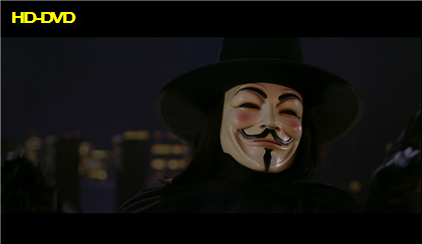
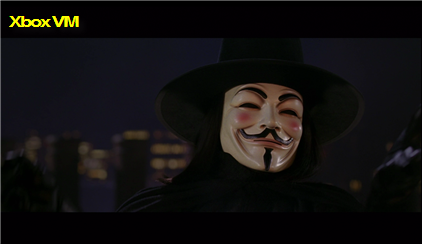
For deeper analysis, I enlisted my friend and colleague, Brandon Wirtz, who is among the smartest minds in video compression. Brandon does a very detailed analysis of each video, with the net result that both look great. You can read his video analysis methodology for more details.
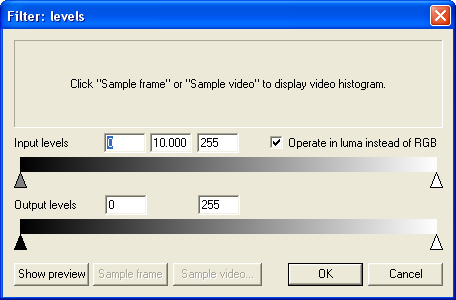
The one thing I'll point out about the slight difference in color variation is the HD-DVD authoring tools must use a different encoding solution to get their output than the Windows Media Encoder used to create the Xbox Video Marketplace files. By pulling the two files in side-by-side in VirtualDub, applying a level filter that drops the Gamma of the video to 10, and looking at the result you can see that the color in the two files does not match. Setting the Gamma of the video to 10 has the net effect of moving colors darker than the exact middle of the spectrum closer to black and colors lighter than the exact middle of the spectrum closer to white.
You can see that the HD-DVD file on the left has blacks that match the VBI data in the top 20 pixels of the file, while the black levels in the Xbox Video Marketplace file are effectively shades of grey. This exposes an existing limitation of Windows Media Encoder and the newer Studio Encoder from Microsoft, which both apply the NTSC color space to all video encoded rather than the ATSC standard HD color space when encoding video that's meant for HD.

For the end viewer, this comes across as looking similar to running the contrast and brightness up a little on your screen and gives the image a marginally flatter feel. Considering most people don't calibrate their television correctly in the first place, this is likely a non-issue, although it might throw off one of those dynamic filtering options found on many HD screens. There's no artifacting in either the Video Marketplace file or the HD-DVD. Both have smooth motion. Both give you a great looking movie.
If you own a 1080p screen, HD-DVD is definitely the way to go, since the disks provide the full 1920x1080 video. If your screen is either 720p or 1080i, Xbox Video Marketplace movies give you a great way to sample HD movies and ultimately look better than anything I've ever rented from Comcast's HD On Demand.