Recording Phone Calls with an iPod
You won't get great sounding recordings by recording telephone calls with an iPod, but it is possible. In an ideal telephone recording scenario, you want independent control over each person on the call, so that if the person you call is too quiet, you can turn their volume up or your volume down. You won't get independent volume control for both sides of the call when recording a telephone conversation on your iPod, but you will get a recording that you can later use as part of a podcast or transcribed interview.
To record phone calls on your iPod, you need two things in addition to the iPod. You need a microphone add-on for the iPod and you need an adapter to pass the phone audio to the microphone.
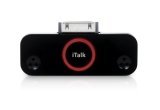 The iPod microphone I like is the Griffin iTalk Pro. It has built in stereo microphones for recording voice in a room and also has a line-in for connecting any external microphone source (including a phone). The iTalk Pro costs about $50 at the local electronics store, but is often considerably less at Amazon.com.
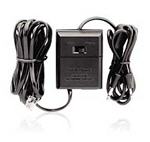 The second component you need is a way to connect the phone to the Griffin iTalk Pro. Radio Shack solves this problem with several recording options. The Recorder Control model #43-228 is my personal favorite as it seems to be more reliable. You plug the RJ-11 phone plug on the recorder into the phone handset, pass the phone connection through the recorder control and connect the mini-plug on the recorder to the Griffin iTalk Pro giving.
One tip for this recording method is after placing the call, ask the person you are calling to be silent for about 15 seconds to record a sample of the noise on the line. You can use this section of silence to clean up the recording in audio editing software.