Desktops - Virtual Desktop Manager
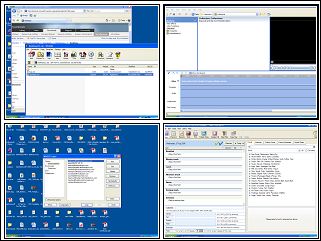
When Sysinternals first became part of Microsoft, I was concerned their regular release of free apps would cease. Fortunately Microsoft continues to let them thrive. The recent release of Desktops is a perfect example. The app is a simple solution for creating up to 4 virtual desktops for Windows. Virtual desktops come in handy because it can get confusing when you have many application windows open simultaneously. With a virtual desktop, you can give each application function its own space. Put your email client on one desktop, your Web browser on another desktop, your photo editor on a third desktop and your favorite game on the fourth. I find it really handy for keeping interruptive instant messenger windows from getting in the way of whatever I'm doing. Desktops also separates taskbar items by desktop, making it easier to get to the screen you want. Clicking the icon in the system tray provides a visual of all four desktops (shown below) or you can simply use Win+1,2,3 ,or 4 to switch between them. Desktops isn't a replacement for having two monitors but it goes a long way to reducing clutter on your desktop. [Windows XP/Vista $0.00]