How to Burn CinemaNow Movies to DVD
"I bought Sex and the City and bought a digital copy through Cinema Now. The card says I can copy onto a DVD but I can not figure out how to get it from the desktop to a DVD."
There are two possible solutions to your problem, depending on what kind of DVD you are allowed to burn with your CinemaNow purchase. Some CinemaNow purchases allow you to make a backup copy to DVD, which is just a digital copy of the file you downloaded to your hard drive. In this case, you'll burn a data DVD, either using Windows Media Player 11 or your favorite DVD burning application. If your purchase allows you to burn a DVD capable of being played in a set top DVD player, things get more complicated (and more expensive).
If your option is to burn a backup copy of the file, I highly recommend downloading the freeware application ImgBurn. With a blank DVD in your DVD burner, you simply add the CinemaNow file to your DVD burning project in ImgBurn and create a burned disk. This disk will not play in your set top DVD player, but you will have a copy of the file in case your hard drive crashes or you need to free up additional space.
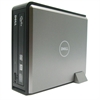 If your purchase allows you to burn a DVD playable in standard set top DVD players, you need a special burner to make it work. CinemaNow support indicates you must purchase a Dell Qflix DVD Burner in order to burn the movies to disk. Dell no longer makes the Qflix, but the link takes you to ebay where there are several to be had.
To play the movie in your home theater you'll first have to shell out money for a special DVD burner. Unless you plan to buy many videos from CinemaNow, you might be better off jumping through a few hoops to connect your computer to your television instead.