How to Share Files Between PC and Mac
"I've been a PC user for years and recently got a new Mac. I know I can map a network drive between two Windows computers, but how do I share files with my Mac?"
Mapping a network drive is frustrating even between two PCs. The drive map occasionally gets disconnected and you can't always get the stuff you need do to permissions issues. I prefer to use a secure sharing method my friend Brandon recommended called FolderShare. It's currently the easiest way I've found to consistently share files between my Mac and Windows machines at home (or from anywhere). Microsoft is the creator of FolderShare, which means it's not likely to go out of business anytime soon. It's also free, making it a highly cost effective way to share files. Here's how to set up FolderShare.
Installing FolderShare Support
Before you can share files with FolderShare, you need to install a small utility on each computer you want to access, which you download from FolderShare. After installing the utility, it will prompt you to setup an account. Repeat this step on both the Mac and PC you want to access files from.
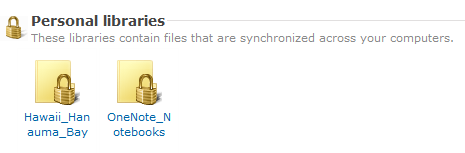
You define which computers get access to FolderShare and which files are shared in your trusted network, meaning that any files you share will be accessible only from your login credentials. After installing the utility on each computer, you can define resources on each computer that stay in sync with each other.
All the connections to FolderShare are encrypted, so there's no risk of anyone else access your data (unless you're stupid and choose an easy password). This increases security if you're connecting over a wireless network, because the encrypted data will not be sniffed the way it could be if you were merely mapping a drive. And the reliability of the sharing is far greater than what you get with mapping a network drive.
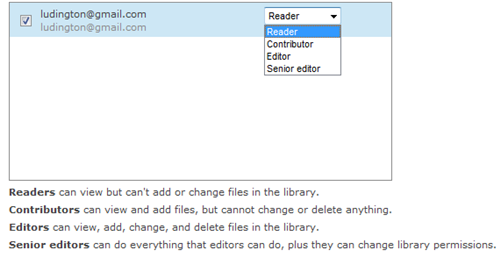
Another useful feature is the ability to share files securely with friends. In addition to sharing files with your own computers, you can choose to share specific files with friends, who then get the same encrypted access to the files you specify. This comes in handy if you collaborate with people in other cities, or if you simply want to share files easily with someone else. Four permission levels make sure you only allow the access you want to files, Reading, Adding new Files, Changing and Deleting Files, and Changing Permissions on Files.