Posting YouTube Videos on MySpace From Safari
Kate writes, "I'm trying to put a YouTube video on my MySpace, but because I have a Mac, it won't let me use advance blog, so then I can't post the video. How do you do it on a Mac?"
If you're using Safari on a Mac, MySpace gives you an error message like the one below when you try to post new information on your blog.
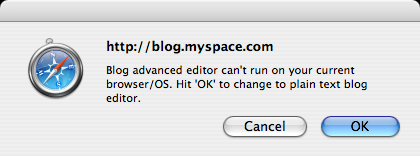
By clicking OK on that message, you are switched to the plain text editor, which is what I recommend everyone do when posting YouTube videos on MySpace. Safari turns off the Advanced Editor, so you don't have to.
If you're following my tutorial on posting MySpace videos, simply skip the step where I tell you to click the link for If you can't input your Blog, click here. The rest of the steps about copying and pasting the YouTube code and deleting parts of the code are exactly the same.
If you happen to want the Advanced Editor for other types of blog posting on Mac OS X, download Firefox and always use Firefox when posting new information to your MySpace blog.