
“How can I clear the list of recent documents in my PowerPoint 2007 and Excel 2007?”
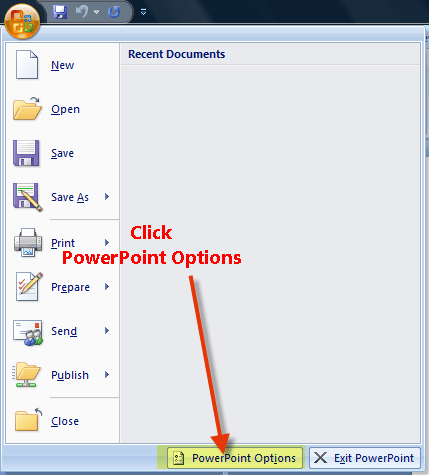
The process for clearing recent documents in Word 2007, Excel 2007, and PowerPoint 2007 remains very similar to the way it was done in Microsoft Office 2003 – the location of the menu item is merely different. With PowerPoint 2007 open, click on the Office icon at the top left of the screen, and then click on PowerPoint Options.
Click on the Advanced tab on the left hand side of the options menu, then locate the Display section of the Advanced options. Change the box next to Show this number of Recent Documents to 0 and click OK.
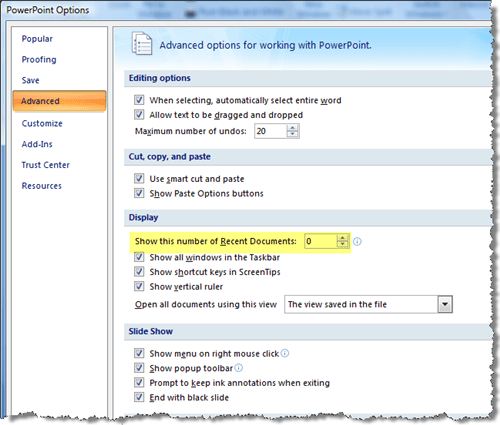
You can repeat this process in both Excel 2007 and Word 2007 to clear the list. If you want to show recent documents at some point in the future, simply change the number to something more than 0.
Discover more from Jake Ludington
Subscribe to get the latest posts sent to your email.



