
Tom writes, “I really need some help with Windows Movie Maker. When I am making credits for the thing I’ve made, how do I get video to play alongside the credits. I have picked the option where you can have video rolling alongside but I don’t know how please help!”
We’ve all seen credits rolling along next to the closing scenes of a television show or at the end of a movie. Windows Movie Maker supports this feature, but it gets applied in a counterintuitive way that makes you feel like you did something wrong. If you already created the credits you’re almost there. I’ll walk through the process of making credits that play over a video clip and how to get this feature to actually work when you select it.
With your movie on the video timeline, choose Tools > Titles and Credits from the menu. Choose the option to add credits at the end of the movie.
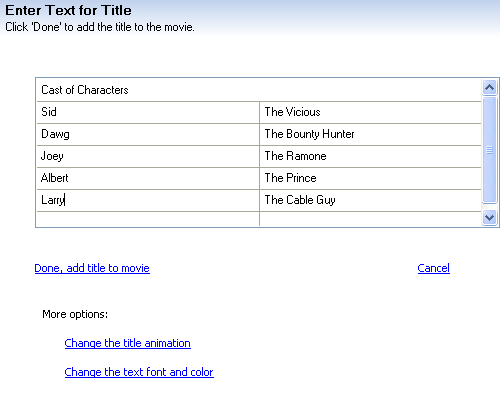
Enter all the details for your title in the available boxes. Click Change the title animation.
In the Credits section of title animations choose either Credits: Video Left or Credits: Video Top. Click Done.

At this point the credits you created will appear at the end of your movie in the Video section of the timeline.

Select the credits clip on the timeline and drag it to the Title Overlay section of the timeline below the Audio/Music section of the timeline. Overlap as much of your movie as you need to have video playing for the full duration of your credits.

If you play back the timeline you can see the credits overlaying the video in the preview window.

Discover more from Jake Ludington
Subscribe to get the latest posts sent to your email.



