

What is the location of my videos recorded on Windows Media Center? I can’t find them in the My Videos folder.
Microsoft makes the television recordings from Windows Media Center available to any user that logs in to a Windows XP Media Center Edition PC. If the recorded shows were stored in your My Videos folder and your wife logged in with a different account, she wouldn’t be able to see any of the recorded shows. While this might be a good thing for some relationships, in general, making the videos available to any potential viewer helps promote things like marital harmony while also allowing individual user accounts to have different access permissions for other features of Windows XP.
The official location of the recorded television in Windows XP Media Center Edition is stored in {system drive}:\Documents and Settings\All Users\Shared Documents\Recorded TV
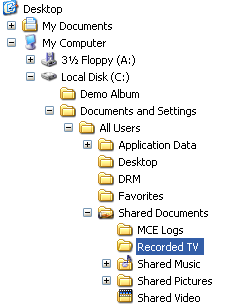
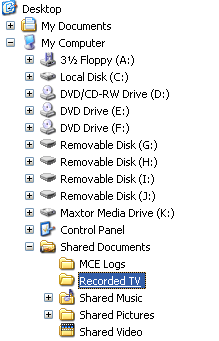
You can also access this folder by clicking the Shared Documents folder in Windows Explorer and clicking on the Recorded TV folder located there.
By downloading Microsoft’s free TweakMCE app, you can change the location Media Center uses to store your movies very easily.



